How to choose
Sizing a desk, chair and monitor for a UK spare room
Measure the alcove before you shop. Desk depth decides viewing distance, chair range decides posture, and the monitor label decides the running cost.
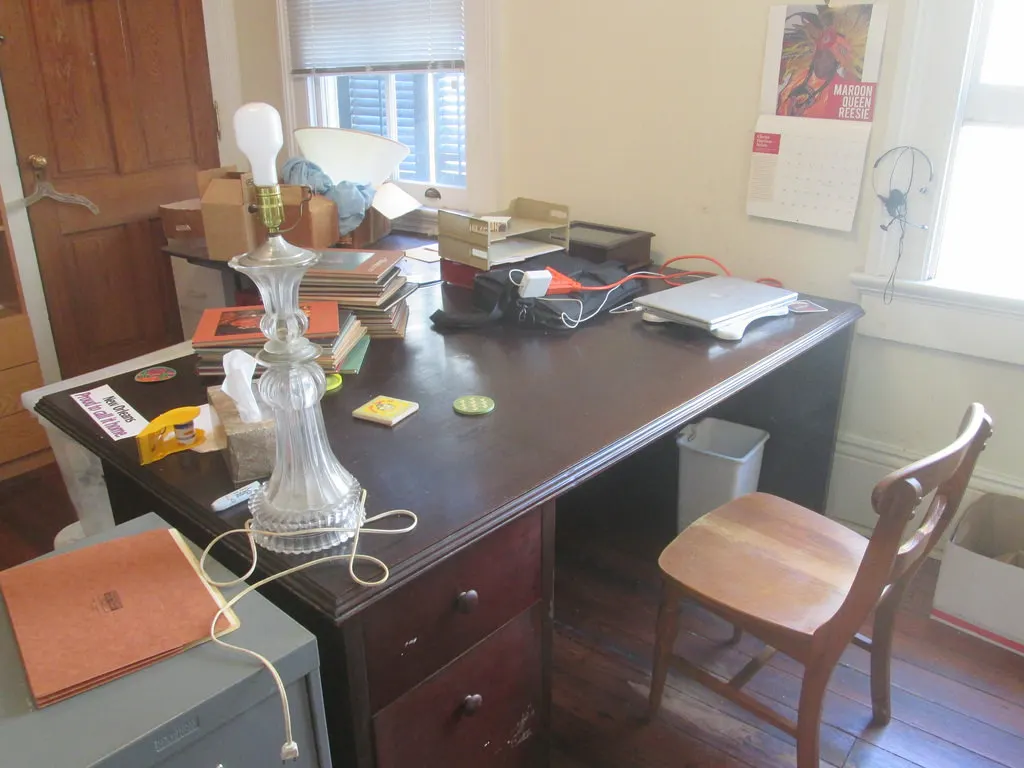
Home desks are usually bought in the wrong order. The desk is chosen for how it looks against the wall, the monitor for its diagonal, and the chair with whatever is left, which is how a room ends up with a screen 40 cm from somebody's face.
This guide starts from the tape measure instead. Hybrid working is now ordinary rather than exceptional in Great Britain, so the spare-room desk has to work for whole days, not for an hour of evening admin. Every measurement below is in centimetres and every price is an example, labelled as one.
Start with depth, not width
Width decides how much you can spread out. Depth decides whether you can see the screen. A 27-inch monitor on its own stand pushes the panel roughly 15 cm forward of the back edge, so a 70 cm desk against a wall leaves about 55 cm between the panel and your eyes once you are sitting with your forearms on the desktop. On a 60 cm desk that falls to about 45 cm, which is why so many 60 cm desks end up with a wall-mounted arm bolted above them.
Width then follows from what has to sit on the surface at the same time. The Display Screen Equipment Regulations' Schedule requires sufficient space in front of the keyboard to support the hands and arms, and a work surface large enough for a flexible arrangement of screen, keyboard and documents. In practice that is about 10 cm of clear desktop in front of the keyboard and a clear strip beside it for paper.
Measure the alcove, not the room. A chimney breast, a skirting board and a radiator each steal centimetres from the usable width, and a desk ordered at the room's nominal width is the most common returned item in this category.
| Usable wall or alcove | Desk size | What it holds | Viewing distance to a 27-inch panel |
|---|---|---|---|
| 100 to 115 cm | 100 x 60 cm | A laptop and a notebook | about 45 cm — too close without a wall arm |
| 120 to 150 cm | 120 x 70 cm | One monitor, keyboard, 10 cm clear in front | about 55 cm |
| 160 cm and over | 160 x 80 cm | Two monitors, or one plus a document area | about 65 cm |
Viewing distances assume a monitor on its own stand set against the back edge, with the panel about 15 cm forward of it. A wall arm or a clamp arm removes that 15 cm and changes every row.
The chair is the item with a legal description
Desks and monitors are sold on taste and specification. Work chairs have a minimum description written into law. The Schedule to the Health and Safety (Display Screen Equipment) Regulations 1992 requires that the work chair be stable and allow easy freedom of movement and a comfortable position, that the seat height be adjustable, that the backrest be adjustable in both height and tilt, and that a footrest be made available on request.
That gives you a short, checkable shopping list rather than a feature count. A chair with a fixed backrest angle fails the description however many levers it has elsewhere, and a gas lift with a 42 to 52 cm range covers most adults at a 72 to 75 cm desk, which is the standard height band desks are built to.
The footrest clause is the one people skip. If the chair has to come up to put your forearms level with a 73 cm desktop and your feet then hang, the correct fix is a footrest rather than a lower chair, because lowering the chair puts the desk edge into your forearms instead.
- Seat height adjustable, with a range that reaches at least 45 cm for a 72 to 75 cm desk
- Backrest adjustable in height and in tilt, not just in tilt
- Stable base that lets you turn without lifting the chair
- A footrest available if your feet do not reach the floor at working height
- Castors matched to the floor: hard castors on carpet, soft castors on boards
The monitor is the only item on the desk with an energy label
Electronic displays including televisions are one of the product groups that must carry a GB energy label, and that label now runs on the rescaled A to G classes introduced in the first phase of rescaling in March 2021. Desks, chairs, keyboards and docks carry no such label at all, so the monitor is the one purchase on the desk you can compare on a published efficiency class rather than a marketing figure.
The practical reading is simple: of two panels of the same size and resolution, the better class draws less for the same picture, and the difference turns up on the bill every working day. A 30 W monitor run 8 hours a day for 220 working days is about 53 kWh a year; at the capped unit rate of 26.32 pence per kWh published by Ofgem for 1 October to 31 December 2026, that is roughly £13.90.
Panel size is a comfort decision rather than an efficiency one. A 27-inch panel at the 55 cm distance a 70 cm desk gives you is near the limit of what you can take in without moving your head, which is why two 24-inch panels often beat one 32-inch panel on a shallow desk.
| Item | Covered by the GB energy label rules | What you can compare instead |
|---|---|---|
| Monitor or television | Yes, on the A to G scale | The label class, directly |
| Desk lamp | Yes, lighting products are a covered group | The label class, directly |
| Laptop or desktop PC | No | The power supply rating on the brick |
| Desk | No | Nothing — it uses no electricity |
| Office chair | No | Nothing — it uses no electricity |
The covered groups are listed in the GOV.UK guidance on energy information regulations; the list includes electronic displays and lighting products and does not include computers or furniture.
Buy in the order the room allows
If the room forces a 60 cm desk, buy the monitor arm before the monitor, because a 27-inch panel on a stand will never sit far enough back. If the room allows 80 cm, the arm is optional and the money is better spent on the chair, which is the item you cannot work around.
Hybrid work is no longer a minority arrangement: the Office for National Statistics reported that 28% of working adults in Great Britain hybrid worked between January and March 2025, rising to 34% among full-time workers and 45% among those earning £50,000 or more. A desk used 3 days a week for a whole day is a different purchase from one used for an hour in the evening.
Order the chair and the desk together wherever you can, because the two have to agree on one height. A 75 cm desk with a chair that stops at 46 cm is a footrest purchase you have not yet made.

Before you buy
- Measure the usable alcove width at skirting height, not the nominal room width
- Decide the desk depth first: 70 cm for one 27-inch monitor on a stand, 80 cm for two
- Leave about 10 cm of clear desktop in front of the keyboard
- Check that the chair's backrest adjusts in height as well as tilt
- Match the chair's seat range to a 72 to 75 cm desk and budget for a footrest if it does not reach
- Compare monitors on their A to G energy class, since nothing else on the desk carries one
- Order the desk and chair together so the two agree on one working height
Questions readers ask
- Is a standing desk worth the extra over a fixed one?
- It depends on whether you will use the top half of its range. A sit-stand frame adds mechanism and usually 2 to 3 times the price of a fixed frame of the same top size. The health case rests on changing position during the day, which HSE guidance treats as the point of breaks generally, so a sit-stand desk you never raise delivers nothing a 73 cm fixed desk does not.
- How deep does a desk need to be for two monitors?
- 80 cm if they sit on their own stands, because two panels angled inward take more depth at the corners than one flat panel does. On a 70 cm desk two panels work only on a dual arm, which recovers the 15 cm the stands would take and lets the panels sit against the wall.
- Does desk height really matter if the chair adjusts?
- It sets what the chair has to reach. UK desks are generally built in a 72 to 75 cm band, and a chair with a 42 to 52 cm seat range covers that for most adults. A 78 cm desk or a dining table at 76 cm pushes the chair to the top of its range, and the footrest clause in the DSE Schedule exists for exactly that case.
- Should I buy a curved monitor for a home desk?
- The curve matters at width rather than at size. On a 70 cm desk a 27-inch flat panel at about 55 cm is already within the span you can read without turning your head, so the curve changes little. It earns its place on ultrawide panels of 34 inches and above, where the ends of a flat panel sit noticeably further away than the centre.
Sources
- Health and Safety (Display Screen Equipment) Regulations 1992, Schedule — minimum requirements for workstations — checked 2026-11-03
- GOV.UK — Regulations: energy information (covered product groups and the A to G rescaling from March 2021) — checked 2026-11-03
- Office for National Statistics — Who has access to hybrid working in Great Britain? — checked 2026-11-03
- Ofgem — energy price cap unit rates and standing charges, 1 October to 31 December 2026 — checked 2026-11-03
Advertising is not enabled on this site yet. When it is, ads will be labelled and kept visually separate from the guides.